Showing posts with label security. Show all posts

KeePassX crash when auto-typing special characters


KeePassX 0.3.4 has been released which fixes a crash when auto-typing special characters.
Very frequent with the '@' when your user name is your email address.

Just download the corresponding package from the download section install it with GDebi or whatever and the problem is gone.

Read more about KeePass in a previous post about it.

Firestarter


Firestarter is a firewall for Linux systems.
Linux isn't that vulnerable to Internet attacks than Windows (look here for a free firewall for Windows), but to have such a firewall has some advantages:
  • View active network connections, including any traffic routed through the firewall.
  • Ability to share the firewall host's Internet connection among all the computers on your local network. This is done through a technique called Network Address Translation, or NAT.
  • Option to whitelist or blacklist traffic.
  • Sets up DHCP for a local network.


On Ubuntu it can be installed right from the Applications menu.

Comodo Free Firewall

First of all: If you really want to be safe when connecting to Internet ... use a Linux distribution like Ubuntu.

But if you're unlucky to use Windows, well then you should use a firewall software and whenever possible, use anything else then Windows integrated one.

Comodo Free Firewall


Finally, I found a decent replacement for Outpost which was my favourite for a very long time.

Comodo Free Firewall is not only a simple firewall, but has several intelligent protection mechanism to protect your machine against any kind of malware, it learns continuously which applications performs what kind of actions, so any alteration is detected. You can submit suspicious files to Comodo for analysis.
And it is completely free of charge, and fully functional.
This fact and that it consumes much less memory than Outpost makes this one my favourite.

Outpost Pro Firewall


Outpost Pro was my favourite firewall for a long time.
I liked especially its low impact in the systems performance, its excellent attack detection mechanisms, its possibility so see all data flows through any TCP/IP connection and its logging system. Apart from being a good firewall, it is a good tool for debugging internet connections. It also detects alterations of executables, but when monitoring dynamic library loads, the system impact is noticeable.

ZoneAlarm


For some time I used ZoneAlarm, but finally discarded this firewall of its bad impact on the systems performance.

AVG


AVG is another firewall which was free software, but I'm not sure anylonger about this.
It never convinced me, because you couldn't see what was going on under the hood. Maybe newer versions have evolved decently.

Cracking Wireless Networks

Normally, you shouldn't go ahead and connect to your neighbours wireless connection, preventing him from using the full bandwidth he contracted and which he is paying.

My tutorial for Ubuntu Gutsy which uses aircrack-ng will give you full instructions for quickly obtaining a wireless network key, but I highly discourage you to abuse this knowledge.
  • You should only use it if for some reason you couldn't connect to your own DSL connection and quickly need to lookup some help on the net.
  • Or you're in nowhere, far away from your own network connection and quickly need some information or need to send an important email.
  • There will be no harm, if you use someone's network connection for a few minutes, without using a high amount of bandwidth.
  • You shouldn't start to use P2P downloading for example.
You also should be aware that the cracked wireless connections router maybe isn't well protected and leaves your system open to external attacks.

Of course, you could use it also to check your own wireless connection setup to see how quickly someone could crack yours.

KeePass Password Safe

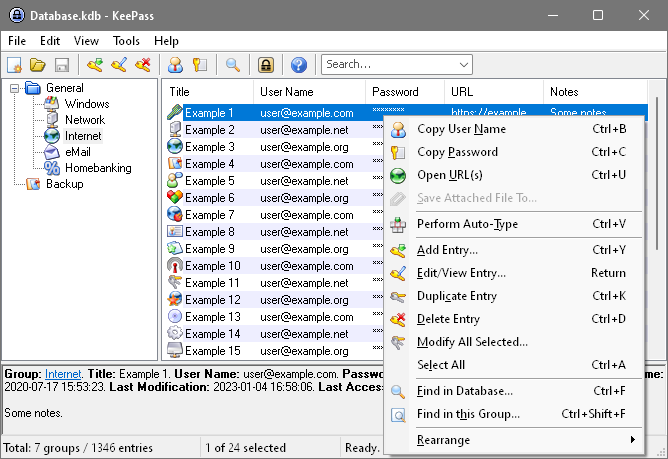
KeePass is a free/open-source password manager or safe which helps you to manage your passwords in a secure way. You can put all your passwords in one database, which is locked with one master key or a key-disk. So you only have to remember one single master password or insert the key-disk to unlock the whole database. The databases are encrypted using the best and most secure encryption algorithms currently known (AES and Twofish).


The database (*.kbd file) can be access from Windows and Linux systems.

Get KeePass

Installation on Ubuntu


The Linux port is named KeePassX and has its own webpage.
Unfortunately, the version that will be installed from the applications main menu isn't the newest, so you should add the following repository to get the latest version:

sudo -i
echo "deb http://ppa.launchpad.net/sniperbeamer/ubuntu/ hardy main #SniperBeamer (KeepassX, ...)" > /etc/apt/sources.list.d/sniperbeamer.list
apt-get update
apt-get install keepassx